
OpenConfig plugin on Palo Alto FWs - how to delete it
I ran into an interesting problem recently - one of the firewalls I manage had to be upgraded, but the problem immediately showed up when I tried doing an image upgrade:
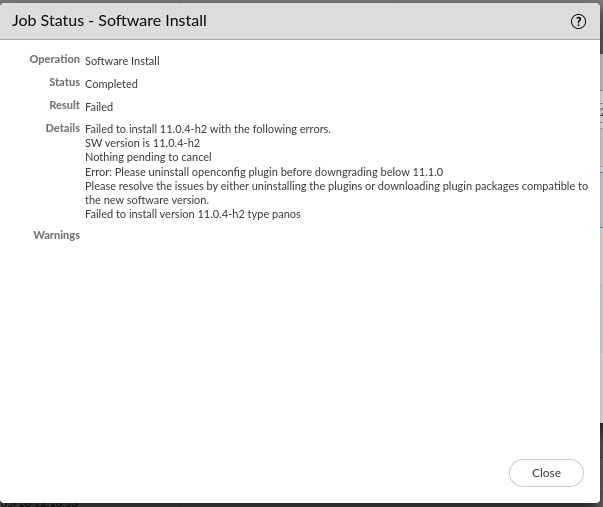
I went to Device -> Plugins and there was the perpetrator openconfig-2.0.0 plugin that was installed. I tried removing the config, nothing, wouldn't budge. Then I tried to uninstall it, again, wouldn't budge. I don't even remember when I installed the damn plugin, if I even did, and I wasn't very keen on the idea of nuking the firewall and starting from scratch, so I thought - what if I try to download a previous version of the plugin instead?
So I did just that - if it doesn't work from the GUI, download it manually from the support portal and upload it to the firewall.
From there, I was able to install the new plugin and consequently, disable the old one. After that, I deleted the old plugin, and since the new plugin wasn't configured, I uninstalled it as well. Once uninstalled, I was able to remove it by clicking on 'Delete' and the nightmare was over. After that, I was able to continue with the software upgrade on the firewall as planned.
Comments (0)
No comments yet. Be the first to comment.
Leave a comment
Privacy: your name and comment are shown once published. Your e-mail address is never shown or passed on; it is used for the confirmation link and to recognise your later comments, and is deleted when you have no comments left here. Comments that are never confirmed are deleted after 7 days. Confirming sets a cookie in this browser so that it does not ask again.