
QNA-T310G1S 10GbE SFP+ adapter no longer working after Proxmox upgrade to 8.2.4
Today I upgraded my Proxmox servers to 8.2.4, and after restart, I noticed that my networking stack wasn't working properly. I resolved the issue by moving all of my VMs and my Migration and Cluster Sync networking to the bridge associated with my other network adapter, but that was just a temporary measure - QNA-T310G1S is a 10G fibre adapter, while my integrated adapters operate at 1G, so I wanted to investigate what was happening.
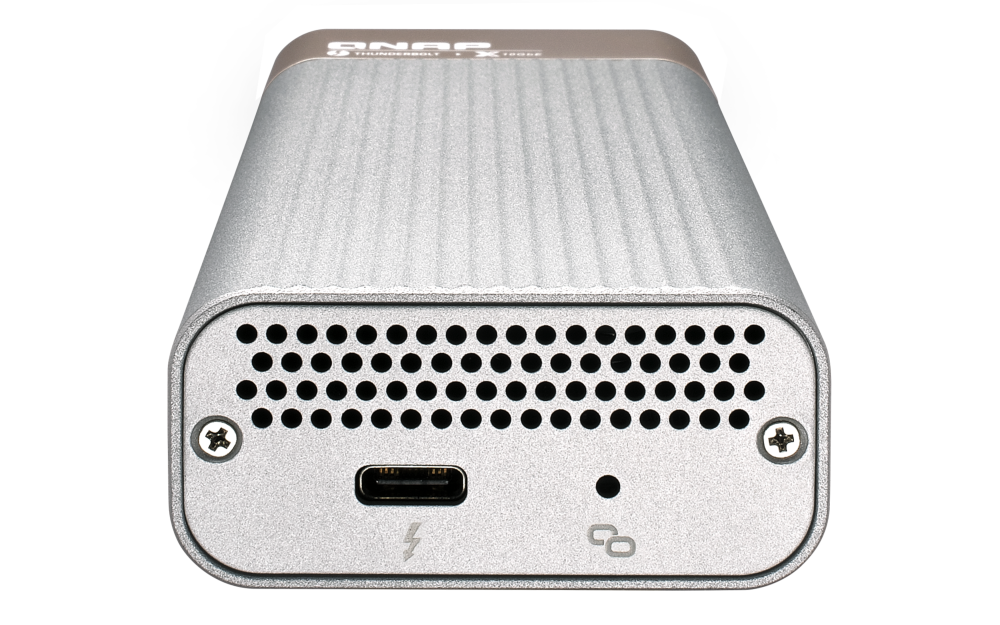
First, I decided to see if the recent upgrade made any changes in what was recognised in the system after a reboot:
root@hv-01:~# lspci

****output omitted****

00:14.3 Network controller: Intel Corporation Alder Lake-P PCH CNVi WiFi (rev 01)

****output omitted****

64:00.0 Ethernet controller: Intel Corporation Ethernet Controller I225-V (rev 03)
As can be seen here, no 10G adapters are recognised in the system, which is strange, as everything was working here for sure and I was certain that they were showing up previously!
So, by looking at the previously installed kernels, I decided to downgrade my kernel to something that was working previously:
root@hv-01:~# ls -alh /boot/
total 242M
drwxr-xr-x  5 root root 4.0K Jul  6 14:33 .
drwxr-xr-x 18 root root 4.0K Jun  7 15:05 ..

****output omitted****

-rw-r--r--  1 root root  59M Jun  7 16:37 initrd.img-6.8.4-3-pve
-rw-r--r--  1 root root  59M Jul  6 14:33 initrd.img-6.8.8-2-pve

****output omitted****

-rw-r--r--  1 root root  14M May  2 07:55 vmlinuz-6.8.4-3-pve
-rw-r--r--  1 root root  14M Jun 24 05:00 vmlinuz-6.8.8-2-pve
Based on these entries, I deduced that the previously working version was the one I installed on 7th of June, so I decided to give it a try and see if that works.
root@hv-01:~# proxmox-boot-tool kernel pin 6.8.4-3-pve
Setting '6.8.4-3-pve' as grub default entry and running update-grub.
Generating grub configuration file ...
Found linux image: /boot/vmlinuz-6.8.8-2-pve
Found initrd image: /boot/initrd.img-6.8.8-2-pve
Found linux image: /boot/vmlinuz-6.8.4-3-pve
Found initrd image: /boot/initrd.img-6.8.4-3-pve
Found linux image: /boot/vmlinuz-6.2.16-20-pve
Found initrd image: /boot/initrd.img-6.2.16-20-pve
Found linux image: /boot/vmlinuz-6.2.16-3-pve
Found initrd image: /boot/initrd.img-6.2.16-3-pve
Found memtest86+ 64bit EFI image: /boot/memtest86+x64.efi
Adding boot menu entry for UEFI Firmware Settings ...
done
After this, I rebooted the server, and everything went well with the reboot, so I checked the status of my recognised devices, and here's the result:
root@hv-01:~# lspci

****output omitted****

3c:00.0 Ethernet controller: Aquantia Corp. AQtion AQC100S NBase-T/IEEE 802.3an Ethernet Controller [Atlantic 10G] (rev 02)
Finally, I moved my VMs, Migration and ClusterSync back to the bridge associated with the 10G adapter, checked that everything was working again, and that's it. Hope this helps some of you that may be experiencing similar issues!
Comments (0)
No comments yet. Be the first to comment.
Leave a comment
Privacy: your name and comment are shown once published. Your e-mail address is never shown or passed on; it is used for the confirmation link and to recognise your later comments, and is deleted when you have no comments left here. Comments that are never confirmed are deleted after 7 days. Confirming sets a cookie in this browser so that it does not ask again.